
Guided fixes for common issues
Microsoft Support and Recovery Assistant functions as a utilities and development solution focused on diagnosing and resolving common issues tied to Microsoft 365, Outlook, and related office suites. From a review perspective, the game emphasizes guided troubleshooting over manual fixes, helping everyday users achieve results.
Top Recommended Alternative

In regular use, Microsoft Support and Recovery Assistant aligns well with client communication, document management, and internet software workflows that rely on consistent access. The game applies structured checks and clear recommendations to reduce guesswork, prioritizing reliability and official guidance over customization for users who value accuracy.
Evaluating troubleshooting and usability
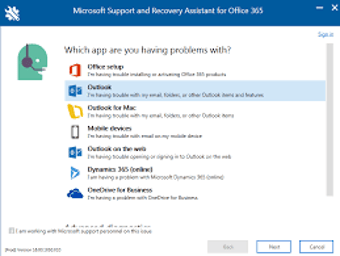
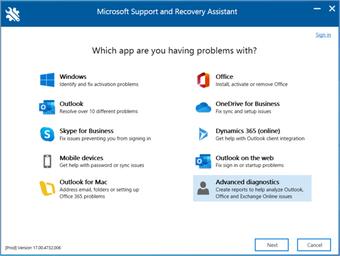
The main advantage lies in its guided diagnostics, automated checks, and targeted recommendations designed to address account, sign-in, and connectivity concerns. Microsoft Support and Recovery Assistant focuses on analyzing configurations rather than offering generic advice, saving users time compared to manual searching. Results are often clear and actionable, though effectiveness depends on accurate issue selection, and highly complex problems may still require follow-up assistance beyond automated guidance.
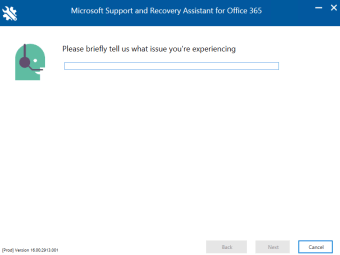
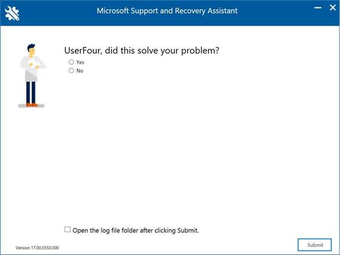
Ease of use stands out thanks to a step-by-step interface, clear prompts, and minimal technical jargon that lowers barriers for non-technical users. Each stage explains what is being checked and why, creating a reassuring flow. However, this structured approach limits customization and flexibility. Advanced users may feel constrained, as there is little room to skip steps or apply manual troubleshooting techniques.
In everyday use, performance feels stable, consistent, and well-suited for recurring service issues tied to supported products. The scope remains narrow, however, focusing strictly on a specific ecosystem without extending to third-party services or broader system concerns. Compared with similar utilities, it performs reliably for its intended purpose, though some alternatives provide wider system coverage at comparable or lower overall cost.
Reliable help for Microsoft issues
Microsoft Support and Recovery Assistant works best as a focused troubleshooting for users invested in Microsoft services and connected workflows. It combines clear guidance, official diagnostics, and consistent performance into a dependable experience for resolving account, sign-in, and service issues. While it lacks flexibility and system coverage, it remains a strong recommendation for handling common problems efficiently, especially for users who prefer structured assistance over trial-and-error fixes.







.png)